Key takeaways
- ERAS 2027 letters are requested in MyERAS and submitted through the new AAMC Letter Writer Portal.
- Each confirmed entry creates a unique Letter ID and locks its author, specialty, format, chair, and waiver details.
- Applicants may assign up to four letters per program, but the program can require fewer or a specific combination.
- Dermatology, Plastic Surgery-Integrated, and Urology use built-in standardized letter pilots in 2027.
- Assignments lock after application, and programs are not guaranteed to review letters uploaded or assigned late.
Fast answer
ERAS letters of recommendation for IMGs use a new submission system in 2027. Applicants still create, confirm, and assign letter requests in MyERAS. Authors now submit through the AAMC Letter Writer Portal; the former ERAS LoRP is no longer available.
Each letter requires its own MyERAS entry and unique request. After the applicant confirms the entry, MyERAS generates a Letter ID and request form. The writer may submit through the secure email link as a guest or use an AAMC account.
An applicant may assign up to four letters to a program, but the program can request fewer or specify author and format requirements. Once a letter is assigned to an applied program, the selection is locked. Once four are assigned, no fifth letter can replace one.
For 2027, Dermatology, Plastic Surgery-Integrated, and Urology have built-in standardized letter pilots. Those standardized forms must be completed within the AAMC portal. They cannot be uploaded as PDFs.
What changed in 2027
The central change is the author-facing portal. AAMC opened the Letter Writer Portal for ERAS 2027 on June 4, 2026 and retired the old Letter of Recommendation Portal. The request and assignment steps remain in MyERAS.
Letters successfully uploaded before the transition cutoff were moved into the new system. Incomplete old requests were not preserved indefinitely: AAMC says an unfulfilled request after the cutoff must be generated again through the new workflow.
The new portal also supports built-in standardized forms for three pilot specialties, guest submission from the secure email link, improved request status visibility, and an account dashboard for writers who manage many letters.
| Step | System | Owner |
|---|---|---|
| Ask the physician and agree on timing | Outside ERAS | Applicant and author |
| Create request | MyERAS | Applicant |
| Confirm request and generate Letter ID | MyERAS | Applicant |
| Email or download request form | MyERAS | Applicant |
| Write and submit letter | AAMC Letter Writer Portal | Author or authorized designee |
| Track Uploaded status | MyERAS | Applicant |
| Assign letter to programs | MyERAS | Applicant |
| Review letter | Program's ERAS interface | Residency program |
Who does what
Letter problems are easier to solve when each party's responsibility is explicit. The applicant controls the request description, waiver choice, and program assignment. The author controls the letter's content and owns the letter. AAMC controls the portal and transmission. ECFMG supports IMG applicants but does not write, edit, or choose the letter.
The author may use an authorized assistant for upload, subject to AAMC's restrictions. An applicant who waived the right to view cannot upload or obtain that letter. A person advising the applicant on the relevant application also cannot serve as the author's upload assistant under the general portal terms.
| Decision or action | Responsible party | What the other party should not do |
|---|---|---|
| Select author | Applicant | Program does not choose the applicant's writer |
| Choose accurate request fields | Applicant | Writer should not silently correct the wrong Letter ID |
| Choose waiver response | Applicant | Writer should not show a waived letter |
| Write honest evaluation | Author | Applicant should not ghostwrite a confidential letter |
| Approve an upload designee | Author | Unauthorized third party should not submit |
| Assign to programs | Applicant | Author cannot select recipients |
| Withdraw or edit submitted letter | Author through ERAS Support | Applicant cannot replace a locked letter |
How many letters do you need?
There is no universal rule that every residency program wants the same number or composition. MyERAS sets a maximum of four assigned letters per program. That technical maximum is not a recommendation to send four everywhere.
Programs may request two, three, or four; require a department chair or specialty letter; accept one outside-specialty letter; or specify a standardized form. Sending an extra letter when the program asks for fewer can show poor instruction-following.
Build a requirement matrix from the program and sponsoring-institution pages. Record both the number and the author types.
| Program | Number | Required author or format | Your assignment |
|---|---|---|---|
| Program A | 3 | Two specialty faculty + one chair | Specialty 1, Specialty 2, Chair |
| Program B | 3 | At least one U.S. clinical supervisor | U.S. supervisor, specialty mentor, chair |
| Program C | 4 maximum; 3 preferred | No chair requirement | Three strongest relevant letters |
| Program D | Specialty guidance controls | Standardized letter | Correct standardized request + required narratives |
Choose letter writers for evidence, not titles alone
A recognizable title cannot compensate for a writer who barely observed the applicant. Strong residency letters usually provide specific evidence about clinical reasoning, communication, reliability, receptiveness to feedback, teamwork, documentation, ownership, and readiness for supervised training.
For an IMG, the most useful combination often includes writers who understand the U.S. training context and writers who can describe longitudinal performance. But the ideal mix depends on specialty and program rules.
Ask whether the physician can write a strong letter, not merely whether they can write a letter. Give an honest opt-out and enough time.
| Factor | Strong evidence | Weak evidence |
|---|---|---|
| Direct observation | Multiple encounters, presentations, notes, or procedures | Brief introduction or shadowing only |
| Recency | Current or recent performance | Memory of a distant rotation with no examples |
| Specialty relevance | Can evaluate skills important to the target field | Prestige without relevant observation |
| U.S. context | Understands expectations for U.S. residency | Cannot calibrate readiness for the system |
| Specificity | Can name behaviors and growth | Can only restate the CV |
| Enthusiasm | Agrees to a strong recommendation | Hesitant or conditional agreement |
| Deadline reliability | Confirms a feasible upload date | Repeatedly nonresponsive without a plan |
When and how to ask
Ask while the writer can still remember concrete work. For a clinical rotation, a useful time is near the end after enough observation has occurred, not on the first day and not months later without contact.
Use a direct question: “Would you feel comfortable writing a strong letter of recommendation for my [specialty] residency application?” The word strong gives the physician room to decline if the evidence is limited.
After agreement, send a compact packet. Do not send a huge archive that forces the writer to discover the applicant's story.
- CV with accurate dates and roles.
- One-page statement of specialty goals and relevant background.
- Draft personal statement only if the writer requests or would benefit from it.
- Target specialty and whether the request is General or specialty-specific.
- The correct MyERAS Letter Request Form.
- Desired upload date and the September 23 program-access context.
- Two to five reminders of work the writer personally observed.
- Program or specialty letter requirements when a special format applies.
- Current contact information.
- A clear statement that the writer should use their own evaluation and language.
Create the MyERAS letter entry correctly
Create a separate entry for each intended letter. The entry identifies the author, author email, specialty label, letter type, department-chair role, and waiver choice.
The specialty label helps organize requests and is visible to the applicant, Designated Dean's Office, and author; AAMC says it is not shown to programs as a standalone request label. Selecting General supports a narrative letter intended for more than one specialty, but narrative-versus-standardized options are unavailable within the General choice.
Plastic Surgery-Integrated has a special interface constraint: AAMC says the narrative option is unavailable when that specialty is selected. Always inspect the live interface and specialty guidance.
| Field | Question | Consequence of error |
|---|---|---|
| Author name | Is this the actual evaluating author? | Wrong attribution on the request and program record |
| Author email | Is this monitored and appropriate? | Secure request may not reach the writer |
| Specialty | Is the letter General or specialty-specific? | Wrong form or limited assignment strategy |
| Letter type | Narrative or standardized? | Writer receives the wrong submission workflow |
| Chair requirement | Does this letter fulfill the program's chair requirement? | Application may appear to lack a required letter |
| Waiver | Will the applicant waive the right to review? | Confidentiality and upload permissions change |
Do not confirm until every field is final
Only a Not Confirmed for Upload entry can be edited or deleted. Confirmation generates the unique Letter Request ID and locks the descriptive fields.
If a confirmed request is wrong, create a new entry. Do not hand-edit the request form, reuse the old ID, or ask the author to upload under a description that no longer matches.
Before confirming, read the author name, email, specialty, format, chair flag, and waiver aloud. This 30-second check prevents a week of confusion.
| Status | Meaning | Applicant action |
|---|---|---|
| Not Confirmed for Upload | Draft request | Edit or delete; do not send yet |
| Confirmed for Upload | Letter ID generated | Send the exact form; create a new entry for any correction |
| Uploaded | Letter submitted successfully | Review assignment choices |
| Imported | Prior-season letter available | Evaluate currency and assign only if still appropriate |
What is on the Letter Request Form
After confirmation, MyERAS creates a request form containing the season, unique Letter ID, author details, specialty, chair designation, applicant identity and contact information, waiver status, requested format, and portal instructions.
The form belongs to one request. AAMC warns applicants not to copy and distribute one form to multiple authors because the Letter ID can be used only once.
Emailing directly from MyERAS can reduce transcription errors and supports the secure-link guest workflow. Downloading the PDF is useful when the author asks for a consolidated packet.
How the writer enters the AAMC Letter Writer Portal
A 2027 writer can follow the secure link in the request email and submit as a guest without creating an AAMC account. Alternatively, a writer with an existing account can log in and manage pending and completed requests from the dashboard.
An account is especially useful for a department chair, clerkship director, coordinator, or faculty member handling many requests. AAMC recommends that applicants send requests to the email associated with the writer's AAMC account so the portal can match them automatically.
If a request does not appear on the dashboard, the writer can use Add Request or open the link from the request email and log in.
| Option | Best for | Capabilities |
|---|---|---|
| Secure guest link | Writer submitting one or few letters | No AAMC account required |
| Existing AAMC account | Writer managing repeated requests | Dashboard, search, filtering, history, updates |
| Authorized designee | Institutional administrative upload | May submit with author approval and within AAMC restrictions |
Waived versus nonwaived letters
The waiver controls access, not whether the applicant likes the author. If the applicant waives the right to review, AAMC says the applicant cannot view or obtain the letter under any circumstances.
A waived letter must be submitted by the author or an authorized designee who is allowed under portal terms. The applicant cannot serve as the uploader. Only a confirmed request in which the applicant did not waive the right may be uploaded by the applicant.
All uploaded ERAS letters are watermarked with the uploader's AAMC-account name and upload date/time. An applicant upload is therefore not invisible to programs.
| Choice | Who may upload | Can applicant view? | Practical note |
|---|---|---|---|
| Waived | Author or permitted designee | No | Protect the confidential process |
| Not waived | Author, permitted designee, or applicant under AAMC rules | Yes | Programs can see uploader watermark and may interpret confidentiality differently |
Who may act as the author's designee
An author may authorize another person to assist with uploading. The uploader represents that every listed author approved the submission.
AAMC's general portal terms exclude two important designees: someone advising the applicant on the relevant application, and the applicant when the applicant waived the right to see the letter.
A department coordinator may be appropriate when authorized. A paid application advisor handling the applicant's strategy is not automatically appropriate. When uncertain, the author should contact AAMC Support before delegating.
Narrative letter PDF requirements
For an ordinary narrative letter, ECFMG's current writer page requires PDF format and lists a 1 MB maximum. ZIP files are not accepted.
ECFMG recommends professional letterhead containing address, phone, and email so programs can validate the source. Program directors do not receive the contact details from the writer's AAMC account; the uploaded document should therefore carry the professional contact information.
The letter should use a general salutation such as “Dear Program Director” rather than naming one program. Black-and-white content, no active hyperlinks, and lower-resolution scanning can keep the PDF below the size limit.
| Item | Requirement or guidance | Failure mode |
|---|---|---|
| File type | Portal rejects other formats | |
| Maximum size | 1 MB (1,000 KB) | Upload error |
| Archive | No ZIP file | Unsupported upload |
| Letterhead | Institutional, practice, or personal professional letterhead with contact details | Source appears difficult to validate |
| Color | Black and white recommended | Unnecessarily large file |
| Scan resolution | About 150 dpi is usually sufficient per ECFMG | Oversized PDF |
| Links | Remove active hyperlinks | File complexity and size |
| Salutation | General, not program-specific | Letter cannot be used broadly |
What a strong narrative letter should communicate
The portal transmits the letter; it does not make the content persuasive. A strong writer explains the context of observation, the applicant's responsibilities, specific performance, improvement, comparison group, and readiness for residency.
For IMGs, vague praise can be especially costly because programs may be trying to calibrate unfamiliar schools, roles, and clinical settings. The letter should describe what the applicant was permitted to do and what the writer personally saw.
It should not inflate an observership into hands-on care, claim independent practice when supervision was required, or copy the applicant's CV without evaluation.
- Writer's role and relationship to the applicant.
- Dates, setting, and duration of observation.
- Applicant's accurate clinical responsibilities.
- Examples of history-taking, presentations, reasoning, notes, or procedures as applicable.
- Communication with patients, families, interpreters, and team members.
- Reliability, integrity, ownership, and response to feedback.
- Evidence of growth across the experience.
- Calibrated comparison with students, graduates, observers, or trainees the author knows.
- Specialty fit supported by behavior, not generic enthusiasm.
- Clear level of recommendation for U.S. residency.
Specialty-specific standardized letters in 2027
Dermatology, Plastic Surgery-Integrated, and Urology participate in the built-in standardized letter pilot. The applicant must select the correct specialty at request creation so the portal sends the correct format to the writer.
If the request is standardized, the writer completes the form inside the portal; a PDF of the standardized form cannot be uploaded. If the request is narrative and permitted for that specialty, the writer uploads a narrative PDF.
For specialties outside the pilot, AAMC permits narrative PDFs and/or specialty standardized forms subject to the relevant specialty and program rules. Do not infer that “not built in” means a specialty has no external guidance.
| Specialty | Applicant request | Writer submission |
|---|---|---|
| Dermatology | Select Dermatology and the required format | Complete built-in standardized form when requested |
| Plastic Surgery-Integrated | Select the exact specialty; MyERAS restricts narrative choice | Complete built-in standardized form |
| Urology | Select Urology and the required format | Complete built-in standardized form when requested |
| Other specialty | Follow specialty and program instructions | Upload narrative PDF and/or applicable standardized form |
General versus specialty-specific requests
Choose General only for a narrative letter that genuinely works across multiple specialties. AAMC says the narrative/standardized selection is not available when General is selected.
A specialty-specific request helps the author frame the evaluation for that field and can trigger the correct standardized form. It may be inappropriate to assign that letter to an unrelated specialty even if the interface technically permits a broad choice.
If one physician agrees to support two specialties with different framing, create separate accurate requests and let the writer decide whether distinct letters are appropriate. Never send one Letter ID for two documents.
Track upload status without asking to see the letter
MyERAS shows Not Confirmed for Upload, Confirmed for Upload, Uploaded, or Imported. Applicants also receive an email when a letter is uploaded.
Following up on status does not violate a waiver. Ask whether the writer received the request and whether upload by the agreed date remains feasible. Do not ask for the confidential content.
Use respectful spacing. One reminder before the agreed date, one on or shortly after it, and one contingency message is usually more effective than daily contact.
| Status | Likely issue | Message |
|---|---|---|
| Not Confirmed | Applicant has not generated a valid request | Correct and confirm the entry |
| Confirmed; author did not receive email | Email address, spam filter, or request delivery issue | Verify email and send/download the request again |
| Confirmed; writer has form | Writing or upload pending | Reference the agreed date politely |
| Uploaded | Submission complete | Thank the writer and manage assignments |
| Imported | Old letter available | Decide whether currency and description still fit |
Assign letters program by program
Only uploaded or imported letters can be assigned. Assignment can be made from the LoR page by letter or from Saved Programs and Programs Applied To by program.
Use program-specific combinations. The strongest three letters for an internal medicine program may differ from the best set for neurology or a preliminary year.
A disabled program checkbox can mean that four letters are already assigned. A withdrawn or closed program cannot accept a new assignment.
| Letter | Best recipients | Avoid |
|---|---|---|
| Specialty-specific U.S. clinical letter | Programs in that specialty | Unrelated specialties without a clear reason |
| Department chair letter | Programs explicitly requiring or valuing it | Using it as a generic substitute for stronger observed performance |
| Research mentor letter | Research-focused programs or when clinically relevant | Replacing all clinical evaluation |
| General narrative letter | Multiple specialties when content truly generalizes | Programs requiring a specialty form |
| Old imported letter | Programs where the experience remains important | Assignments that make the application appear stale |
The four-letter lock
The maximum is not a flexible holding area. Once four letters are assigned to an applied program, no additional assignment can be made during the season. An assigned letter cannot be replaced.
This remains true if an author later edits or withdraws the letter: the applicant's original program selection stays locked. The author owns the letter and may contact ERAS Support about an update or withdrawal, but the applicant does not regain the slot.
Before applying, review every program's assigned letters. A fifth letter expected next week is not useful if four placeholders are already locked.
- Do not assign four merely because four are available.
- Do not use a weak letter as a temporary placeholder.
- Do not assume an author withdrawal opens a new slot.
- Do not confuse a saved-program assignment with an irreversible applied-program lock; verify before payment.
- Do not assign a specialty-specific letter to the wrong track.
- Keep one matrix showing every program and its final letter set.
Can you add a letter after applying?
Yes, if fewer than four letters are assigned and the program remains open. But late availability does not guarantee review.
Programs may screen applications on September 23, review in batches, or close interview decisions before the new letter appears. The technical ability to assign is not a promise that the program will reopen the file.
If a required letter will be late, check the program deadline and communication policy before applying. A later strong letter may be preferable to a weak placeholder, but a missing required letter can make the initial file incomplete.
| Situation | Option | Risk |
|---|---|---|
| Three required letters uploaded | Apply with complete set | Low |
| Two strong letters; optional fourth pending | Apply with two or three as permitted, add later | Program may never review the late optional letter |
| Required chair letter pending | Ask program whether application can be reviewed | Initial screen may classify file incomplete |
| Weak placeholder available; strong letter due soon | Avoid locking the weak letter if program and timing permit | Waiting may miss review timing |
| Four already assigned | No fifth-letter option | Selection cannot be repaired |
Program review begins September 23
Residency applicants may begin submitting on September 2, 2026, and programs gain access September 23 at 9:00 a.m. Eastern Time. Applications submitted during the September 2–23 window appear with the same September 23 submission date.
That date should anchor the letter plan. Ask writers early enough for drafting, institutional review, technical formatting, correction of a wrong request, and portal support.
A personal target one to two weeks before program access provides a useful buffer. It is not an official universal deadline; program-specific deadlines control.
| Target | Applicant action |
|---|---|
| Months before ERAS | Earn direct observation and identify strongest writers |
| When MyERAS request is available | Create and audit entries; send correct forms |
| Four to six weeks before desired upload | Deliver evidence packet and confirm date |
| One to two weeks before desired upload | Send respectful reminder and check request access |
| Before program access | Verify Uploaded status and final program assignments |
| After program access | Track late letters and communicate only under program policy |
Can a submitted letter be edited or withdrawn?
Letters remain the author's property. AAMC says the author may contact ERAS Support to edit or withdraw a submitted letter.
The applicant cannot make the change and cannot remove the assigned letter from an applied program. The original selection remains locked even after an author change.
If a factual correction is needed, the author should act promptly and document the request. The applicant should not upload an altered copy under another person's name.
Repeat applicants and imported letters
Eligible applicants who certified and submitted previous ERAS applications may import LoRs from seasons since ERAS 2020. An imported letter becomes available to assign, but its descriptive information cannot be edited.
Import is technically convenient; strategic reuse requires judgment. A several-year-old letter may still be valuable if it documents a major longitudinal relationship, but a full set of old letters can signal that no recent supervisor supports the reapplication.
If the author's role, specialty framing, date, or evaluation should change, request a new submission. Do not use an inaccurate imported description because the underlying prose still sounds positive.
| Question | Reuse may fit | New letter is better |
|---|---|---|
| Is the relationship still relevant? | Longitudinal mentor with durable evidence | Brief old rotation |
| Is performance current? | Letter supports a stable core strength | Applicant has materially improved since writing |
| Does specialty framing match? | Same specialty and role | Applicant changed specialty |
| Is descriptive information accurate? | All fields remain true | Author title, context, or request type changed |
| Does the set show recent support? | Other letters are current | Every letter is old |
Transition rule for old LoRP requests
AAMC transferred letters uploaded before the 2026 cutoff into the new system for ERAS 2027. An incomplete request that was not fulfilled by the transition deadline must be created again.
Do not tell a writer to use an old pending request merely because the email still exists. Generate a current request in MyERAS, audit every field, and send the new secure link or form.
Confirm the actual Imported or Uploaded status before relying on a transferred letter.
Troubleshooting the new portal
First identify whether the problem is the applicant request, the writer's access, the PDF, or the program assignment. Those layers have different fixes.
The applicant should contact AAMC for MyERAS letter interface and assignment issues. The writer should contact AAMC for Letter Writer Portal login or upload problems. ECFMG offers IMG-specific format guidance but does not control the AAMC portal login.
| Problem | Likely cause | Action |
|---|---|---|
| No Letter ID | Entry not confirmed | Audit and confirm in MyERAS |
| Wrong specialty or waiver after confirmation | Locked request error | Create and send a new entry |
| Writer cannot find request | Email mismatch, spam, or unmatched dashboard | Resend secure link; use Add Request |
| Writer cannot log in | AAMC account/access issue | Use guest link or contact AAMC Support |
| PDF rejected | Wrong format, over 1 MB, or file problem | Create compliant PDF; compress safely |
| Standardized PDF rejected | Pilot form must be completed in portal | Use built-in form |
| Uploaded but cannot assign | Program already has four letters, is withdrawn, or is closed | Inspect program state and existing assignments |
| Late letter not reviewed | Program completed initial review | Follow program update policy; review is not guaranteed |
A concise reminder template
A useful reminder is factual and easy to act on: “Dear Dr. [Name], thank you again for agreeing to support my [specialty] residency application. I resent the ERAS 2027 Letter Request Form today; the AAMC Letter Writer Portal secure link is in that message. Programs may begin reviewing applications September 23, and my target upload date is [date]. Please let me know if the request did not arrive or if I can provide any additional context. Thank you, [name].”
Do not attach the writer's draft, pressure the author with daily messages, or imply that the writer promised a specific endorsement. If the writer cannot meet the date, activate a legitimate backup rather than manufacture a letter.
A letter packet that helps without ghostwriting
The applicant can organize evidence without composing the confidential evaluation. A one-page memory aid is often enough.
Use headings such as setting, dates, responsibilities, three observed examples, feedback incorporated, specialty goal, and deadline. Every example should be something the writer personally observed or can verify.
Never supply a fabricated comparison statement, invented patient encounter, or a complete letter for the writer to sign. If local culture expects a draft, protect accuracy and authorship by asking the writer to independently verify, rewrite, and own every claim; confidential-process and institutional policies still control.
Common mistakes
- Using the retired LoRP instructions for ERAS 2027.
- Creating one request form and sending it to multiple writers.
- Confirming an entry before checking specialty, format, chair flag, and waiver.
- Choosing General when a specialty-specific standardized form is required.
- Uploading a PDF of a built-in standardized pilot form.
- Assuming every specialty or program wants four letters.
- Assigning four placeholders and expecting to replace one later.
- Submitting to a program before reviewing the final assignment set.
- Asking a waived-letter author to show the applicant the content.
- Letting the applicant or application advisor upload a waived letter.
- Using a PDF larger than 1 MB or without professional contact information.
- Addressing a reusable letter to one named program.
- Waiting until September 23 to discover the writer never received the request.
- Assuming a late Uploaded status guarantees program review.
- Importing an old letter without checking its specialty, description, and currency.
- Describing an observership as hands-on work in the writer packet.
- Choosing prestige over direct observation and specificity.
- Failing to thank the writer and confirm successful upload.
Master 2027 ERAS LoR checklist
- I checked each program's exact number and type of required letters.
- I selected writers who directly observed relevant performance.
- I asked whether each writer could provide a strong recommendation.
- I agreed on a realistic upload date.
- I prepared an accurate, compact evidence packet.
- I created a separate MyERAS entry for every letter.
- I verified author name and email.
- I selected General or the correct specialty deliberately.
- I selected narrative or standardized format correctly.
- I marked the chair requirement accurately.
- I made an informed waiver choice.
- I audited the entry before confirmation.
- I sent the correct unique request form to one writer.
- My pilot-specialty request opens the correct built-in form.
- My narrative writer knows the PDF and 1 MB rules.
- The letterhead includes professional contact information.
- I track Confirmed, Uploaded, and Imported states without requesting confidential content.
- I reviewed each program's letter combination before applying.
- I assigned no more than the program requests.
- I understand assignments lock after application.
- I left capacity for a pending letter when strategically appropriate.
- I do not expect a late letter to force re-review.
- I assessed imported letters for recency and specialty fit.
- I saved support evidence for any portal problem.
- I will recheck live AAMC, ECFMG, specialty, and program rules.
Bottom line
For ERAS 2027, applicants request and assign letters in MyERAS, while authors submit them through the new AAMC Letter Writer Portal. A writer may use an AAMC account or a secure guest link.
Accuracy at request creation is critical because confirmed entries cannot be edited. Verify the author, specialty, narrative-versus-standardized format, chair designation, and waiver before generating the unique Letter ID.
Up to four letters may be assigned per program, but program instructions control the ideal number and composition. Assigned letters lock after application, and a fifth letter cannot replace one of four.
The strongest IMG letter is both technically correct and evidentiary: it reaches the right program on time and describes specific, honestly represented performance from direct observation.
This guide reflects official information available July 18, 2026. Live AAMC, ECFMG, specialty-organization, program, and sponsoring-institution rules control if any format, portal, date, or assignment policy changes.
Books & equipment
Get ready for residency
Step 3 preparation, ward references, and clinical essentials selected for doctors working toward the Match and the start of residency.

Step 3
Master the Boards USMLE Step 3
Conrad Fischer
8th edition · 2026Work through management decisions alongside your Step 3 question bank and CCS practice.

Ward reference
Pocket Medicine
Marc S. Sabatine
9th edition · 2025A compact internal medicine reference for pre-round reading, clinical differentials, and reviewing the day’s cases.
Ward reference
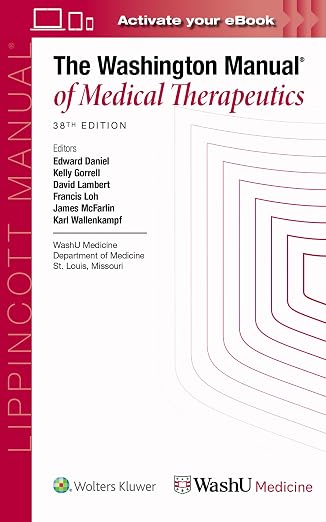
The Washington Manual of Medical Therapeutics
Washington University
38th edition · 2026A more detailed ward companion for admissions, common inpatient problems, and the transition into intern year.

Clinical equipment
Littmann Classic III Stethoscope
Littmann
Model 5620 · Black · 27-inchAn everyday bedside examination tool to consider for rotations and residency if you need to replace your current stethoscope.

Clinical equipment
The Physicians Folding Clipboard
Fellow Medical
Trifold · Letter-size paper · BlackA folding clipboard for organizing paper notes on rounds. Follow your hospital’s policies for patient information.

Scrubs
COZYFIT Women’s Scrub Set
COZYFIT
Women’s fit · Select size and color on AmazonA V-neck top and jogger set for clinical days. Check your hospital’s required color and whether it supplies scrubs.
Check current prices, editions, sizes, and seller details on Amazon.
Official resources
Common questions
How are ERAS letters of recommendation submitted in 2027?
Applicants create and confirm each request in MyERAS, then email or download the unique Letter Request Form. The author or authorized designee submits the letter through the new AAMC Letter Writer Portal. The former ERAS Letter of Recommendation Portal is no longer used for the 2027 season.
How many LoRs can I assign to one residency program?
MyERAS allows up to four letters per program, but a specialty or program may request fewer or a specific combination. Once four letters are assigned to an applied program, no additional letter can be added, and an assigned letter cannot be replaced or removed from that applied program.
Should an IMG waive the right to view an ERAS recommendation letter?
Waiving is an applicant decision, but confidential letters are commonly expected and may be viewed as more independent. AAMC states that an applicant who waives the right may not view or obtain the letter under any circumstances. Only a confirmed nonwaived entry may be uploaded by the applicant.
Does a letter writer need an AAMC account?
No. For 2027, a writer may use the secure request-email link to submit as a guest without creating an account. A writer may also use an existing AAMC account, which provides a dashboard, request matching, filters, history, and update guidance.
Can a letter be uploaded after I submit my ERAS application?
Yes. Letters may be uploaded and assigned later if the program has fewer than four assigned letters. However, AAMC does not guarantee that programs will review a letter received after their initial application review, and assignments to an applied program cannot be changed.
Which 2027 specialties use built-in standardized letters?
Dermatology, Plastic Surgery-Integrated, and Urology participate in the 2027 specialty-specific standardized letter pilot. The applicant must choose the correct specialty and letter type when creating the request. A standardized pilot form must be completed inside the Letter Writer Portal and cannot be uploaded as a PDF.
Can I fix an ERAS letter entry after confirming it?
No. Only entries that are Not Confirmed for Upload can be edited or deleted. If a confirmed entry contains the wrong author, specialty, chair designation, letter type, or waiver response, the applicant must create a new entry and send the new unique request to the writer.
Can repeat ERAS applicants reuse letters from prior seasons?
AAMC permits eligible repeat applicants who certified and submitted prior ERAS applications to import letters from seasons since ERAS 2020. Imported descriptive information cannot be edited. If the author, date, specialty framing, or other information should change, the author or designee must submit a new letter.