Key takeaways
- Emergency Medicine and Obstetrics and Gynecology use ResidencyCAS for the 2027 residency season.
- IMGs obtain an individual access link through ECFMG's support form and payment workflow.
- ECFMG support costs $185, or $90 when the 2027 ERAS Token was already purchased.
- Submit by September 17, 2026; programs begin viewing applications September 23.
- ECFMG handles the MSPE, transcript, and Status Report; FSMB supplies USMLE scores.
- Letters and SLOEs must be assigned manually, and Match registration remains separate.
Fast answer
ResidencyCAS is the 2027 residency application service used for Emergency Medicine and Obstetrics and Gynecology. An IMG does not open the application through a medical school invitation or an ECFMG ERAS Token. The IMG first completes ECFMG's Residency Application Support Form, pays the applicable support fee, and waits for ECFMG to authorize access.
For the 2026–2027 cycle, ECFMG began sending IMG access links June 24, 2026. Applicants can request official exam scores beginning August 24, submit beginning September 2, and should submit by September 17 at 11:59 p.m. Eastern. Programs begin viewing applications September 23 at 9:00 a.m. Eastern.
The greatest risk is treating ResidencyCAS like a different-looking MyERAS page. It is a separate application, separate payment, separate document pipeline, and separate set of assignment rules. It also does not register the applicant for NRMP.
Build the application in ResidencyCAS, but manage ECFMG, FSMB, evaluators, specialty guidance, program requirements, and NRMP as parallel owners.
Who uses ResidencyCAS in 2027
ECFMG's current page names Emergency Medicine and Obstetrics and Gynecology. That is the specialty-level rule, not permission to skip program research.
Search the live ResidencyCAS program list, then open each program's own application page. Confirm the program name, track, accreditation status, visa policy, graduation-year screen, ECFMG Certification timing, document requirements, and deadline before payment.
A label of pending accreditation is not the same as ACGME accreditation. ResidencyCAS tells applicants to contact the program for current status.
| Application target | Primary service to verify | IMG access route |
|---|---|---|
| Emergency Medicine | ResidencyCAS | ECFMG support form and authorization link |
| Combined program containing Emergency Medicine | Verify the exact track in ResidencyCAS | ECFMG support form if listed there |
| Obstetrics and Gynecology | ResidencyCAS | ECFMG support form and authorization link |
| Another residency specialty | Usually MyERAS, but verify | ECFMG ERAS Token if the program participates |
| A program absent from both services | Contact program directly | ECFMG cannot send documents directly |
Five systems, five different jobs
A green status in one system does not prove completion in another. The safest tracker has a separate column for each owner, a date requested, a date received, and evidence checked.
If applying to an ERAS specialty as well, add MyERAS as a sixth system. No application data should be assumed to transfer automatically between services.
| System | What it does | What it does not do |
|---|---|---|
| MyIntealth / ECFMG | Authorizes IMG access and transmits MSPE, transcript, and Status Report | Does not submit the ResidencyCAS application |
| ResidencyCAS | Collects application data, programs, evaluations, signals, and payment | Does not certify an IMG or register the Match |
| FSMB | Processes the official USMLE transcript order | Does not assign scores to programs manually |
| Specialty organizations | Publish EM or OB-GYN guidance and SLOE resources | Do not replace program-specific rules |
| NRMP R3 | Registers, ranks, and matches applicants | Does not deliver the residency application |
Official 2027 timeline
The September 17 deadline is earlier than the September 23 program-view date. ResidencyCAS uses the intervening period for final readiness work, including verification of submitted materials and preparation of application data.
The platform may accept a submission after September 17, but that is not a promise of review. ResidencyCAS warns that many OB-GYN programs begin review immediately and may not routinely review late applications or materials. EM programs recognize that some SLOEs and scores may arrive later, but applicants are still encouraged to submit by the recommended date.
Treat September 17 as a finish line, not a starting point for proofreading.
| Milestone | Date and time | IMG action |
|---|---|---|
| Application cycle opens | June 4, 2026 | U.S. applicants may begin; IMGs still need ECFMG access |
| ECFMG begins IMG access links | June 24, 2026 | Complete support workflow early |
| Score requests begin | August 24, 2026 | Complete FSMB order, then request in ResidencyCAS |
| Submission opens | September 2, 2026 | Submit only after final PDF and assignments review |
| Published application deadline | September 17, 2026, 11:59 p.m. ET | Application, payment, and available materials should be ready |
| Programs can view | September 23, 2026, 9:00 a.m. ET | Confirm every program status and document |
| SOAP opens | March 15, 2027 | Follow NRMP eligibility and SOAP rules |
| Match Day | March 19, 2027 | View official NRMP result |
| Cycle closes | May 31, 2027 | No further cycle activity |
IMG eligibility for access
ECFMG permits an IMG to register and apply before completing the examinations required for Certification. This is an access rule only.
It does not override a program's published screen, NRMP's deadline for ECFMG examination requirements, or state medical-board rules. An application can be technically deliverable and still be ineligible.
| Item | Needed to enter ResidencyCAS as an IMG? | May be required later? |
|---|---|---|
| MyIntealth Identification Number | Yes | Yes |
| USMLE Identification Number | Yes | Yes |
| Signed ECFMG support form | Yes | No separate program credential |
| Applicable ECFMG support payment | Yes | No |
| All Certification examinations complete | No | Yes for NRMP/program/residency gates |
| ECFMG Certificate issued | No universal access requirement | Program and training rules vary |
| Program-specific eligibility | Not checked by access link | Yes for that program |
| State training-license eligibility | Not checked by access link | May be required for training |
Exact ECFMG access workflow
The form says that the applicant's name, MyIntealth ID, and USMLE ID must match the Intealth record exactly; discrepancies stop processing.
Do not send page 1 alone. The form explicitly says it will not be accepted without page 2. Do not use an old form saved by a friend; use the live May 2026 version or whatever version ECFMG has replaced it with when you apply.
The official contact on the form is residencyapplication@ecfmg.org for questions. The signed form itself is directed to finance@ecfmg.org.
| Step | Action | Proof to save |
|---|---|---|
| 1 | Download the current two-page support form | Dated blank PDF |
| 2 | Enter name, MyIntealth ID, and USMLE ID exactly | Copy checked against MyIntealth |
| 3 | Choose regular or discounted service correctly | Eligibility note |
| 4 | Read page 2, sign, and date | Complete two-page signed PDF |
| 5 | In MyIntealth Financial Account, choose Make a Payment | Payment screen |
| 6 | Select Residency Application Support or Discounted Support | Correct line item |
| 7 | Pay the applicable amount | Receipt |
| 8 | Email the full signed form to finance@ecfmg.org | Sent email and attachment |
| 9 | Monitor the email address of record | ECFMG acknowledgment |
| 10 | Use the individual registration link | ResidencyCAS account and CAS ID |
| 11 | Follow the document instructions sent by ECFMG | Document tracker |
ECFMG support fee: $185 or $90
The discounted amount is not automatic merely because you intend to dual-apply. The support form ties the $90 rate to already having purchased the 2027 ERAS Token through MyIntealth.
If you pay $185 for ResidencyCAS support and later decide to apply through ERAS 2027, the form says you will pay the full ERAS Token fee and become eligible to request a $95 refund of the Residency Application Support fee. Contact ECFMG; do not assume it is automatic.
The form describes the support fee as nonrefundable even if the applicant does not apply, while also containing narrow reimbursement language if ECFMG's service fails to meet the stated standard. Read the controlling form rather than budgeting for a refund.
| Situation when requesting support | ResidencyCAS support payment | Important detail |
|---|---|---|
| ResidencyCAS only | $185 | Select Residency Application Support |
| ResidencyCAS plus ERAS; 2027 ERAS Token already purchased | $90 | Select Discounted Residency Application Support |
| ResidencyCAS first, ERAS added later | $185 first | Pay full $185 Token later; request the stated $95 support-fee refund |
| ERAS only | No ResidencyCAS support fee | The separate 2027 ERAS Token is $185 |
ResidencyCAS program fees
ResidencyCAS calculates the tiers separately for Emergency Medicine and OB-GYN. Applying to 20 in each specialty costs $135 plus $135, or $270, as the official example confirms.
The fee page states that special $10-per-program pricing applies to applicants submitting to nine or fewer programs overall, such as within a combined specialty.
Use My Programs → Calculate Fee before submission. No refunds are issued for missed deadlines, a program no longer accepting applicants, or a selection made in error. A submitted program cannot be swapped for another.
| Programs in one specialty | Formula | Example total |
|---|---|---|
| 1–9 overall | $10 × program count | 9 programs = $90 |
| 10–18 | $99 total | 18 programs = $99 |
| 19–30 | $99 + $18 for each program above 18 | 20 programs = $135; 30 = $315 |
| 31+ | $99 + (12 × $18) + $23 for each program above 30 | 40 programs = $545 |
Budget examples
These examples exclude the separate FSMB USMLE transcript order, NRMP registration, ECFMG Certification and Pathway services, translations, specialty-specific expenses, and any MyERAS program fees.
A broad list is not automatically a strategic list. Pay only after confirming each program's IMG eligibility, visa policy, training-license implications, required evaluations, and current participation.
| Plan | ECFMG support | ResidencyCAS programs | Subtotal |
|---|---|---|---|
| 8 EM programs only | $185 | $80 | $265 |
| 18 OB-GYN programs only | $185 | $99 | $284 |
| 30 EM programs only | $185 | $315 | $500 |
| 40 OB-GYN programs only | $185 | $545 | $730 |
| 20 EM + 20 OB-GYN | $185 | $270 | $455 |
| ERAS Token already bought + 20 ResidencyCAS programs | $90 | $135 | $225, plus ERAS Token already paid |
Build the application in four sections
ResidencyCAS is not a thin upload portal. Applicants must enter a full application across Personal Information, Academic History, Supporting Information, and Program Materials.
Use the official specialty worksheet before typing in the portal. Draft plain text, normalize dates and organization names, and compare every entry with the CV, MSPE, transcript, prior applications, and interview narrative.
Download the full application PDF before paying. Read it as a reviewer would, not only as a collection of green dashboard checks.
| Section | Examples | Main risk |
|---|---|---|
| Personal Information | Biographic, contact, geographic connections, work authorization, Match ID | Identity or contact mismatch |
| Academic History | Schools, USMLE/COMLEX, interruptions, prior training | Incomplete or inconsistent chronology |
| Supporting Information | Experiences, employment, statement, publications, awards, documents | Assuming MyERAS data imports |
| Program Materials | Program requirements, evaluations, signals | Missing manual assignment or program question |
Dual-service applicants need two complete applications
Do not assume a certified MyERAS application, statement, experience, letter, or score becomes visible in ResidencyCAS. Reconcile both applications line by line.
ECFMG says its document instructions may vary when an applicant participates in multiple residency application services. Follow the individualized email instead of sending duplicate documents through an improvised route.
Use one source-of-truth CV and a cross-platform discrepancy checklist. Different field structures may require different wording, but dates, roles, degree facts, publications, and disciplinary disclosures should not conflict.
| Task | ResidencyCAS | MyERAS |
|---|---|---|
| Access | ECFMG support form and email link | 2027 ECFMG ERAS Token |
| Core application | Enter in ResidencyCAS | Enter in MyERAS |
| Personal statement | One per ResidencyCAS specialty | Create and assign in MyERAS |
| Letters | Evaluator/Liaison or SLOE workflow; assign manually | AAMC Letter Writer Portal; assign in MyERAS |
| MSPE and transcript | Follow ECFMG's cross-service instructions | ECFMG/MyIntealth workflow |
| USMLE transcript | FSMB order, then request in ResidencyCAS | FSMB order and MyERAS retrieval workflow |
| Signals | ResidencyCAS Program Materials | MyERAS specialty signaling |
| Program fees | ResidencyCAS tiers | MyERAS tiers |
| Match | Register separately with NRMP | Same separate NRMP registration |
Document ownership map
ResidencyCAS automatically shares most required materials with selected programs, but evaluations are the critical exception: letters and SLOEs must be assigned manually.
ECFMG's transmission responsibility is limited. Its form states that ECFMG is not responsible for ensuring the application is complete or that it meets a particular program's requirements.
The applicant remains the final quality-control owner.
| Item | Primary owner / sender | Applicant verification |
|---|---|---|
| MSPE | ECFMG support team for IMGs | Received and attached |
| Medical school transcript | ECFMG support team for IMGs | Received, legible, correct school(s) |
| ECFMG Status Report | ECFMG | Present and later status update reflected |
| USMLE transcript | FSMB to ResidencyCAS after order/request | Received status; re-request new scores |
| Personal statement | Applicant | Correct specialty and final text |
| Headshot | Applicant | Uploaded and accepted |
| Narrative letter | Evaluator through Liaison Letters | Complete and assigned |
| SLOE | Evaluator through specialty workflow | Complete and assigned |
| Program questions | Applicant | Complete for every submitted program |
MSPE and medical school transcript
After ECFMG processes the support form, its residency application support team sends applicant-specific instructions for the MSPE and medical school transcript. The path may differ for an applicant using multiple application services.
An MSPE should evaluate academic performance relative to peers, appear on medical school letterhead with the school seal, be signed by the designated official, and include the applicant's full name.
A transcript should include the full name and clearly show subjects, duration, and performance. ECFMG warns against security paper or a busy background that makes a scanned image illegible; ask the school to copy it onto plain paper.
Transfer students who need more than one medical school transcript should tell the ECFMG support team when contacted.
Translation and placeholder rules
ECFMG accepts a certified English translation prepared by a medical school official, government official, or professional translation service. Its current guidance says to submit only the English translation.
If the school cannot provide an MSPE or transcript, ECFMG can provide a neutral placeholder that tells programs the document is supplied in lieu of the missing item and directs questions to the applicant.
A placeholder can make the file appear complete for a program that requires the document, but it cannot supply the comparative or academic evidence a real document would contain. Explain the institution's practice accurately if asked.
| Situation | Official route | Do not do |
|---|---|---|
| MSPE not in English | Certified English translation; submit only English | Upload an applicant-made translation |
| Transcript not in English | Certified English translation; submit only English | Send both language versions unless instructed |
| School does not provide MSPE | Tell ECFMG support team; neutral placeholder | Create a fake dean's letter |
| School does not provide transcript | Tell ECFMG support team; neutral placeholder | Upload an unofficial grade summary |
| Transfer student | Tell ECFMG support team about both transcripts | Omit prior school silently |
ECFMG Status Report
The ECFMG Status Report is not a score transcript. It includes identifiers, ECFMG Certification status, certificate issue date, exams passed for Certification, medical school and degree year, medical education credential status, and explanatory notes when applicable.
For Pathways applicants, the report can identify that clinical and communication skills requirements were met through a Pathway. A Pathway-based certificate's expiration date is listed.
ECFMG says the 2027 Status Report will be generated and transmitted to ResidencyCAS in early September 2026. If status changes afterward, an updated report is transmitted within one week.
A pending Status Report is not corrected by uploading a screenshot of MyIntealth. Verify the underlying Certification or credential record and allow the stated update window.
USMLE transcript workflow
Paper score reports are not accepted. Official USMLE scores come electronically from FSMB and are sent to every ResidencyCAS program to which the applicant applies.
Scores are transmitted in batches and may take up to 24 hours to post. Applicants cannot view the actual score in ResidencyCAS, but can confirm receipt.
Only requested scores post. A later result requires a new request from the USMLE and COMLEX Scores section. The official help center limits re-requests to once every 24 hours.
If scores remain missing, first confirm when FSMB sent them. Name or birth-date differences—including hyphens, apostrophes, and former names—can prevent automatic matching and may require ResidencyCAS customer service to connect the record manually.
| Step | Action | Failure prevented |
|---|---|---|
| 1 | Enter date of birth and medical school in ResidencyCAS | Unmatched score file |
| 2 | Complete the USMLE transcript order with FSMB | No source authorization |
| 3 | Beginning August 24, request USMLE scores in ResidencyCAS | Order not connected to application |
| 4 | Enter the exact USMLE ID and accept the release | Identifier mismatch |
| 5 | Monitor Requested/Received status | Silent missing transcript |
| 6 | Use Re-Request for a new score, no more than once per 24 hours | Stale score set |
| 7 | Escalate a confirmed mismatch with full identifiers | Unresolved manual-match problem |
Personal statement and headshot
ResidencyCAS asks why the applicant wants to be considered for the specialty and shares one statement with every program in that specialty. It does not support a different statement for each program.
The live field is the authority for the maximum length. Spaces, punctuation, and line returns count as characters, and the system will not save an over-limit response.
A headshot and personal statement must be fulfilled before submission. The document page currently provides an upload workflow but does not publish detailed pixel or file-size specifications in its public instructions; follow the live uploader instead of importing MyERAS photo rules.
| Item | 2027 rule | Practical implication |
|---|---|---|
| Personal statement | One statement per specialty | It is shared with all programs in that specialty |
| Program-specific statement | Not supported through the statement field | Use signals and program materials appropriately |
| Length | Live field shows character and word counts | Do not rely on an old worksheet limit |
| Formatting | Simple text; tabs, italics, and repeated spaces may not save | Review the generated PDF |
| Post-submit edits | Statement cannot be edited | Proofread before payment |
| Headshot | Required to submit | Upload in Supporting Information → Documents |
Evaluations, letters, and SLOEs
Applicants may request multiple evaluations, but only four can be assigned and submitted to a program. The cap includes both SLOEs and narrative letters.
For EM, ResidencyCAS supports eSLOE, non-residency-based SLOE, subspecialty SLOE, off-service SLOE, and narrative letters. Most EM programs expect at least one SLOE, but the exact number and acceptable type are program decisions.
For OB-GYN, ResidencyCAS highly recommends a Standardized Letter of Evaluation. Its guidance says the writer should be the person or group who knows the applicant best—ideally an OB-GYN, preferably from a sub-internship—and that the same writer cannot also submit a separate narrative letter.
Evaluators receive the request electronically. Confirm the preferred email in advance and warn the writer to check spam for mail from applicantsupport@residencycas.com.
| Specialty | Available / recommended types | Program cap |
|---|---|---|
| Emergency Medicine | EM SLOE types or narrative letter | Maximum 4 assigned per program |
| OB-GYN | SLOE highly recommended plus permitted narrative evaluations | Maximum 4 assigned per program |
| Both | Evaluator submits electronically; applicant chooses waiver and assignment | Research each program's exact mix |
The manual assignment trap
A completed evaluation is not enough. ResidencyCAS's quick-start guide says letters and SLOEs are the application components that require manual assignment to selected programs.
In Program Materials, open Assign Evaluations, move through each evaluation, select the intended programs, and save. Repeat until the program-by-evaluation matrix matches the strategy.
Use a spreadsheet with programs as rows and evaluation names as columns. Mark requested, completed, assigned, and program status separately.
If the evaluator email is wrong, the help center instructs applicants to delete an incomplete request and add it again with the correct address. A completed evaluation generally cannot be removed or replaced casually.
Waiving access to evaluations
Before an evaluation request is sent, ResidencyCAS requires the applicant to choose whether to waive the right to inspect it. The decision is disclosed to the evaluator and programs and cannot later be changed.
Selecting Yes means the evaluator wrote with the understanding that the applicant could not view the content. Selecting No does not make the letter visible inside ResidencyCAS; it means the applicant may ask the evaluator for a copy.
Do not click quickly to clear a dashboard item. Decide once, apply the decision consistently, and understand what programs will see.
2027 ResidencyCAS signals
Signals are applied inside Program Materials. Choose the program or programs, apply the signal, and review the result before submission.
The EM instruction not to signal home or away rotation sites is a specialty-specific rule and differs from some MyERAS specialties. Do not recycle another specialty's strategy.
For OB-GYN, signal tier communicates relative interest. Build the list only after checking program eligibility and fit; a signal cannot rescue an application that fails a hard screen.
Because signal rules can change by cycle, treat the live ResidencyCAS Program Materials page and specialty organization guidance as controlling.
| Specialty | Signals | Specialty instruction |
|---|---|---|
| Emergency Medicine | 5 standard signals of equal weight | Do not signal home or away rotation sites |
| Obstetrics and Gynecology | 3 gold + 15 silver | Gold is high interest; silver is preferred interest |
Emergency Medicine application notes
ResidencyCAS acknowledges that some EM SLOEs and exam scores may not be available by the recommended submission date. That is not a reason to leave applicant-controlled sections unfinished.
Submit a coherent application on time, monitor late-arriving materials, and follow each program's stated policy about later SLOEs or scores.
- Use the Emergency Medicine worksheet, not the OB-GYN version.
- Plan EM rotations and SLOE timing together; the application deadline cannot create a letter before the evaluator has observed you.
- Classify each requested evaluation correctly as a SLOE or narrative letter.
- Follow CORD's current definitions for eSLOE, non-residency, subspecialty, and off-service SLOE.
- Assign no more than four total evaluations to a program.
- Use five equal signals and do not signal home or away rotation sites.
- Submit by the recommended date even if an expected SLOE or score will follow.
- Check combined EM tracks individually; do not infer their requirements from the categorical program.
OB-GYN application notes
ResidencyCAS's OB-GYN deadline guidance is unusually direct: many programs begin review as soon as access opens and may not routinely return to late applications or newly received materials.
For an IMG, that makes school document coordination, ECFMG access, and translation work early-summer tasks—not September tasks.
- Use the current OB-GYN worksheet.
- Review APGO's Right Resident, Right Program, Ready Day One applicant resources.
- Plan for an OB-GYN SLOE from the person or group best positioned to evaluate you.
- Do not request both an SLOE and separate narrative letter from the same writer.
- Check whether each program requests a chair's letter.
- Use up to three gold and fifteen silver signals deliberately.
- Finish program materials and supporting documents before the September 17 deadline.
- Assume late material may not receive routine review unless the program says otherwise.
Submitted is not Complete
Submitting means completing sections within your control, clicking Submit, and paying. It does not mean every supporting item has arrived or that a program has begun review.
In general, Complete requires the official medical school transcript, MSPE, required evaluations, payment, successful submission, and a Complete program status. The quick-start checklist also includes official exam scores and the ECFMG Status Report for IMGs.
Check status program by program. A global confirmation email does not prove that every evaluation was assigned or every program-specific requirement was satisfied.
| Status concept | Meaning | Applicant action |
|---|---|---|
| In-Progress | Application has not been submitted | Finish, review, and pay |
| Received | Submitted, but one or more completion items may be missing | Open program status and identify gap |
| Complete | General completion requirements are satisfied for that program | Still verify program-specific requirements |
| On hold | Delivery can be blocked by duplicate account, withdrawal, conduct action, or chargeback | Contact customer service |
Final review before payment
- Download and read the full application PDF.
- Verify legal name, date of birth, MyIntealth ID, USMLE ID, and CAS ID.
- Reconcile every date and organization with the CV and other application systems.
- Open every program's Program Materials section.
- Confirm the correct track, deadline, and accreditation status.
- Confirm visa, graduation-year, ECFMG, and state licensure eligibility.
- Proofread the specialty-level personal statement in the generated PDF.
- Verify the headshot is uploaded.
- Review every disclosure and interruption response.
- Confirm each evaluator type and irrevocable waiver choice.
- Confirm no more than four evaluations and the correct assignment for each program.
- Confirm signal assignments and specialty rules.
- Confirm MSPE, transcript, Status Report, and USMLE transcript statuses.
- Run the fee calculator.
- Save the program list and a timestamped final PDF before paying.
What can change after submission
Most application sections lock at submission. The help center permits limited contact/profile edits, new programs, certain new entries, and some evaluation changes.
If a material correction cannot be made in the application, ResidencyCAS directs applicants to send the update directly to their programs. Use a concise factual correction and keep proof of delivery.
Do not create a duplicate ResidencyCAS account to correct a mistake. Duplicate accounts can cause applications to be placed on hold.
| Can still do | Cannot generally do |
|---|---|
| Edit contact and account profile information | Rewrite locked core sections |
| Add eligible programs before their deadlines | Remove or substitute a submitted program |
| Add entries in certain supporting areas where allowed | Edit or delete existing locked entries |
| Add evaluations if below the request maximum | Change a completed evaluation freely |
| Edit or delete incomplete evaluation requests | Change the binding waiver decision |
| Edit program materials for unsubmitted programs | Edit the submitted personal statement |
NRMP registration and ECFMG examination deadline
ResidencyCAS delivers an application; NRMP runs the matching algorithm. Completing one does not create registration in the other.
ECFMG states that an IMG must register with NRMP by the NRMP late-registration deadline for ECFMG to verify examination requirements. The passing results or satisfactory completion required for Certification must be available by the NRMP Rank Order List Certification deadline.
Certification itself, Pathway processing, credential verification, program eligibility, Match eligibility, and the ability to begin training are related but distinct gates. Build separate deadline rows for each.
Use the live NRMP calendar and ECFMG Pathways timeline before scheduling an exam or OET close to a deadline.
Troubleshooting
| Problem | Likely cause | Best next step |
|---|---|---|
| No access link | Form/payment pending, mismatch, or wrong email record | Verify receipt and contact ECFMG support |
| Support form rejected | Missing page 2, signature, or exact ID match | Correct current form and resend |
| Charged $185 despite ERAS use | Token not purchased before support request | Review later $95 refund rule with ECFMG |
| MSPE/transcript missing | ECFMG instruction or school step incomplete | Use individualized ECFMG document email |
| USMLE score missing | FSMB order absent or identity mismatch | Confirm FSMB transmission, then escalate with identifiers |
| Letter says Complete but program lacks it | Evaluation not assigned | Open Assign Evaluations for that program |
| Program absent | Wrong service, track, or participation status | Check live list and contact program |
| Application remains Received | Completion item missing | Open program status and audit each requirement |
| Application on hold | Duplicate account, withdrawal, conduct issue, or chargeback | Contact ResidencyCAS customer service |
| Statement error after submit | Statement locked | Send corrected copy directly if material |
| New score not visible | No re-request or batch still processing | Re-request once eligible and monitor 24-hour cycle |
| Late application accepted by portal | Technical acceptance mistaken for review guarantee | Contact program; do not assume review |
Common IMG mistakes
- Buying only an ERAS Token for an Emergency Medicine or OB-GYN application.
- Waiting for a medical school to send the IMG access link instead of using ECFMG.
- Submitting only page 1 of the ECFMG support form.
- Typing a name or identifier that does not exactly match MyIntealth.
- Paying $185 when already eligible for the $90 dual-service rate.
- Assuming the ECFMG support payment includes ResidencyCAS program fees.
- Assuming MyERAS data or letters transfer automatically.
- Uploading a self-made MSPE, transcript translation, or unofficial score report.
- Assuming ECFMG sends the USMLE transcript.
- Requesting scores in ResidencyCAS before completing the FSMB order.
- Failing to re-request a newly released score.
- Requesting the wrong SLOE or letter type.
- Assigning more than four evaluations or forgetting assignment entirely.
- Using the wrong specialty's signal strategy.
- Signaling an EM home or away rotation site.
- Trying to personalize the specialty-level personal statement by program.
- Treating Received as Complete.
- Submitting after September 17 because the portal technically permits it.
- Assuming ResidencyCAS registers NRMP.
- Creating a duplicate account to correct an application error.
- Paying for a program before verifying visa, ECFMG, graduation-year, and licensure eligibility.
Final 2027 checklist
- I verified that each intended program and track uses ResidencyCAS.
- I have the correct MyIntealth and USMLE Identification Numbers.
- I downloaded the current two-page ECFMG support form.
- My name and IDs match MyIntealth exactly.
- I selected the correct $185 or $90 support option.
- I saved the payment receipt and sent both signed pages.
- I registered only through ECFMG's individual access link.
- I saved my CAS ID and opened the correct 2026–2027 cycle.
- I completed all four application sections.
- I reconciled the application with my CV and any MyERAS application.
- I followed ECFMG's specific MSPE and transcript instructions.
- Any translation meets ECFMG's certification rule.
- I confirmed the ECFMG Status Report.
- I completed the FSMB USMLE transcript order.
- I requested scores in ResidencyCAS on or after August 24.
- I uploaded the required headshot.
- I finalized the correct specialty-level personal statement.
- Every evaluator received the request and completed the right letter type.
- No program has more than four evaluations.
- Every intended letter or SLOE is manually assigned.
- My EM or OB-GYN signals follow the current rule.
- Every program-specific question is complete.
- I downloaded and read the final application PDF.
- I used the fee calculator and verified the program list.
- I submitted and paid by September 17 at 11:59 p.m. Eastern.
- Every program status is Complete or has a documented expected item.
- I registered separately with NRMP and tracked ECFMG examination deadlines.
Bottom line
For an IMG applying to Emergency Medicine or Obstetrics and Gynecology in the 2027 season, ResidencyCAS is a separate application ecosystem. Start with ECFMG authorization, not an ERAS Token or a school invitation.
Pay the correct ECFMG support fee, complete both pages of the form, and build the application early enough to coordinate school documents, FSMB scores, specialty evaluations, and signals before the September 17 deadline.
The high-risk details are small but consequential: a $90 dual-service rate, exact ID matching, manual evaluation assignment, specialty-specific signals, and the difference between Submitted, Received, and Complete.
This guide reflects official information available July 19, 2026. The live ECFMG form, ResidencyCAS Help Center, specialty organizations, individual program pages, FSMB, and NRMP control if any rule changes.
Books & equipment
Prepare for emergency medicine
References and practical examination tools for learning on emergency department rotations.
Ward reference
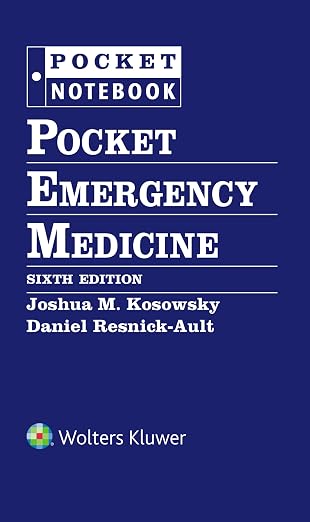
Pocket Emergency Medicine
Joshua Kosowsky & Daniel Resnick-Ault
6th edition · 2026A concise companion for learning the approach to common emergency department presentations.

Ward reference
The Sanford Guide to Antimicrobial Therapy
Sanford Guide
56th edition · 2026 · Pocket formatA pocket antimicrobial reference for ward reading. Use your hospital’s current guidance and local antibiogram in practice.

Critical care
Marino’s The ICU Book
Paul L. Marino
5th edition · Print + eBook with updatesBuild your understanding of critical care before an ICU rotation, with reading on ventilation, shock, and acid–base problems.

Clinical equipment
Littmann Classic III Stethoscope
Littmann
Model 5620 · Black · 27-inchAn everyday bedside examination tool to consider for rotations and residency if you need to replace your current stethoscope.

Clinical equipment
CAVN Medical Penlights
CAVN
2-pack · Black and whiteA small addition to your coat pocket for bedside examinations, with a pupil gauge on the barrel.

Clinical equipment
ADC Taylor Reflex Hammer
ADC
Taylor style · RedA compact examination tool for reflex testing when your clinical service expects you to carry your own equipment.
Check current prices, editions, sizes, and seller details on Amazon.
Official resources
Common questions
Which specialties use ResidencyCAS for the 2027 residency season?
ECFMG's current 2027 guidance lists Emergency Medicine and Obstetrics and Gynecology under ResidencyCAS. Applicants should still verify the application service, track, eligibility rules, and deadline on every program's current website before paying.
How does an IMG get a ResidencyCAS access link?
An IMG must have a MyIntealth Identification Number and USMLE Identification Number, complete and sign ECFMG's two-page Residency Application Support Form, pay the applicable ECFMG support fee in MyIntealth, and email the form to finance@ecfmg.org. After processing, ECFMG authorizes access and sends the registration link to the applicant's email address of record.
How much is ECFMG ResidencyCAS support for 2027?
The regular ECFMG Residency Application Support fee is $185. An applicant who is also applying through ERAS 2027 and has already purchased the 2027 ERAS Token qualifies for the $90 discounted support fee. The support form says the fee is nonrefundable, subject to the limited service-failure language on the form.
How much are ResidencyCAS application fees in 2027?
Fees are calculated separately by specialty: $99 total for 1–18 programs, $18 for each program from 19–30, and $23 for each program above 30. Special pricing of $10 per program applies when an applicant applies to nine or fewer programs overall. These program fees are separate from ECFMG support and USMLE transcript fees.
What is the ResidencyCAS deadline for the 2027 Match?
The published application deadline is September 17, 2026 at 11:59 p.m. Eastern Time. Submission opens September 2, and programs can view applications September 23 at 9:00 a.m. Eastern. ResidencyCAS may technically permit a later submission, but programs may not review late applications or late materials.
Does ECFMG upload an IMG's ResidencyCAS documents?
ECFMG assists with the MSPE, medical school transcript, and ECFMG Status Report. It does not complete the application or guarantee program requirements. Official USMLE scores follow the FSMB-to-ResidencyCAS workflow, while evaluators submit letters or SLOEs electronically and the applicant must assign those evaluations to programs.
Can an IMG apply through ResidencyCAS before ECFMG Certification?
Yes. ECFMG says an applicant may register and apply before completing the examinations required for ECFMG Certification. That access rule does not override a program's eligibility criteria, NRMP's examination deadline, state licensure rules, or requirements that must be met before starting residency.
Does submitting ResidencyCAS register me for the NRMP Match?
No. ResidencyCAS is an application-delivery service; NRMP registration is separate. An IMG intending to participate in the Main Residency Match must register with NRMP and meet the applicable ECFMG examination requirements by the Rank Order List Certification deadline.